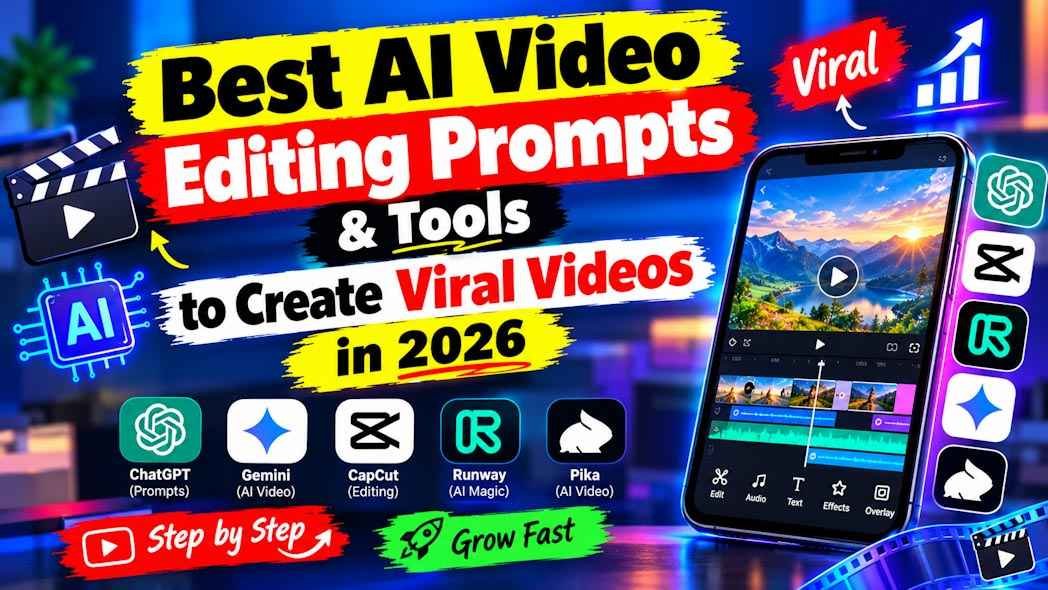
AI video editing is becoming increasingly popular in 2026, making it easier for content creators to create stunning videos with the help of artificial intelligence. From cinematic effects and realistic animations to viral Instagram Reels and YouTube Shorts, AI video editing tools can help turn simple ideas into engaging visual content. With the right AI video editing prompts,
you can generate creative scenes, add professional-looking effects, animate images, and transform ordinary footage into eye-catching videos. Popular AI tools such as Google Gemini, ChatGPT, and dedicated AI video generators can help you plan your content, write effective prompts,
and explore new creative possibilities. In this guide, we will explore the best AI video editing prompts, useful AI video creation tools, and practical tips to help beginners and experienced creators make high-quality videos
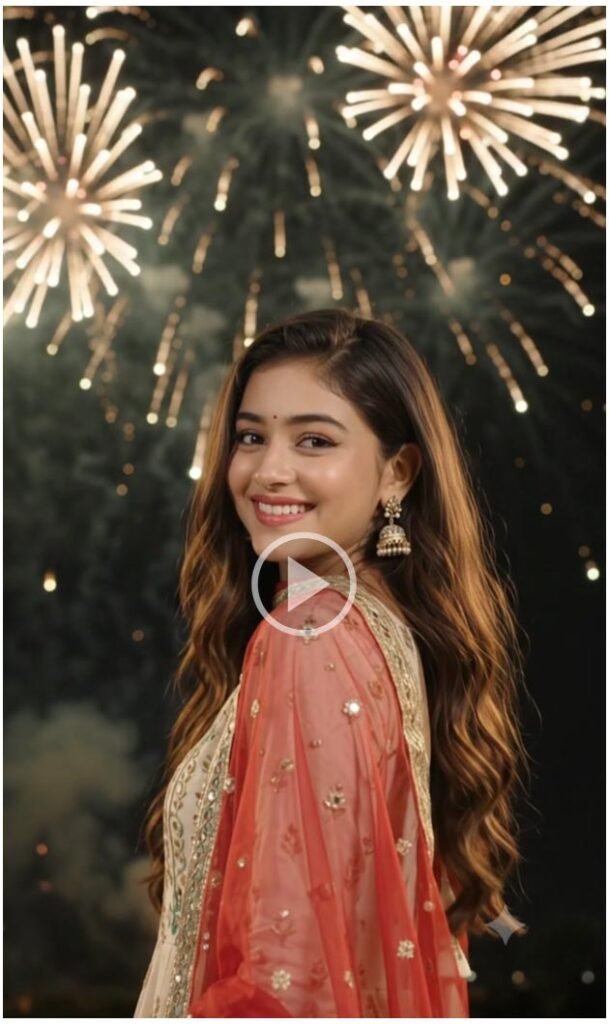
Vertical 9:16 ultra-realistic 4K cinematic slow-motion video. CRITICAL IDENTITY LOCK: Keep the exact face, facial structure, and identity of the uploaded reference image 100% consistent throughout every frame without morphing. A subject wearing a cream and gold mirror-work Anarkali suit, ornate jhumka earrings, a sheer red gold-bordered dupatta, and a cream potli bag on the wrist. Starts in a low-angle daylight shot against a blue sky spinning and sweeping the red dupatta across the lens, seamlessly transitioning into a dark night sky bursting with vibrant golden, orange, and green fireworks. The subject spins joyfully with arms wide open, laughing and cheering naturally, looks up at the fireworks from behind, and finishes by turning over the shoulder to give a warm, radiant smile directly at the camera before gazing up at the sparkling sky. Cinematic warm rim lighting from the fireworks, realistic smoke, and sharp facial focus. Audio: Clear romantic Hindi music (“Tu Dhadkan / Humsafar Tu Meri”) mixed with loud, crisp, realistic fireworks explosions and crackling sound effects.
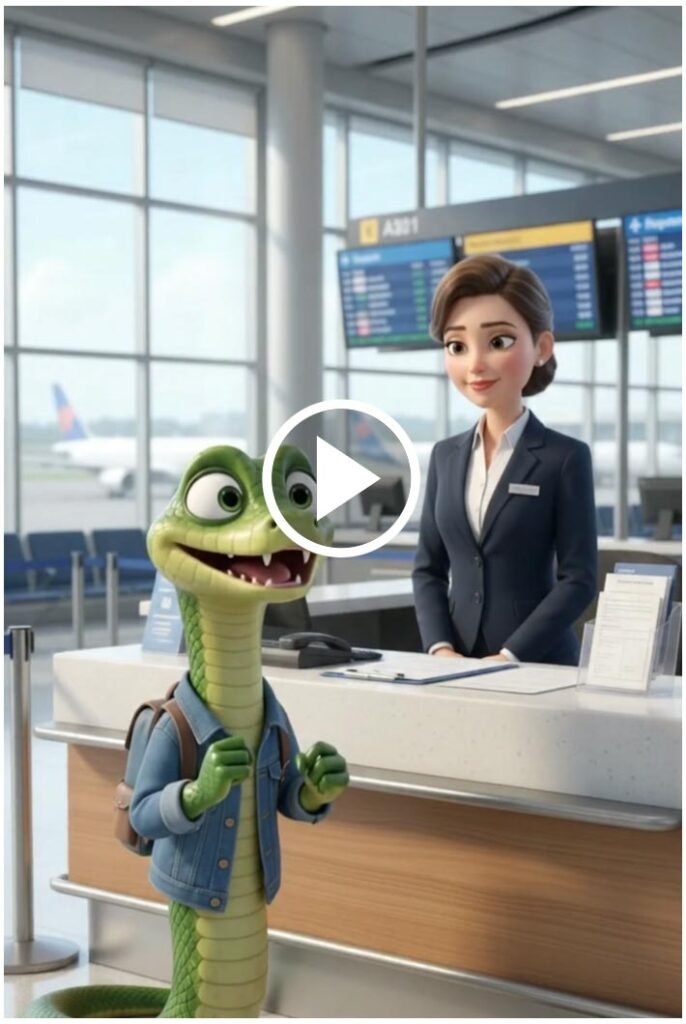
Scene 1 (00:00 – 00:02)
Prompt: 3D Pixar-style animation, vertical 9:16. Medium-wide angle at an airport check-in counter. An anthropomorphic green snake in a denim jacket and backpack gestures eagerly to a female airline agent in a navy suit. The snake speaks with accurate lip-sync in a loud, crisp male voice: “Madam mujhe India jana hai, Diwali aa rahi hai ticket do jaldi”. Subtle airport ambience.
Scene 2 (00:02 – 00:04)
Prompt: 3D Pixar-style animation, vertical 9:16. Medium close-up of the female airline agent raising one hand with a polite, confused expression. She speaks with accurate lip-sync in a clear, natural female voice: “English speaking please?”
Scene 3 (00:04 – 00:06)
Prompt: 3D Pixar-style animation, vertical 9:16. Medium-wide shot at the counter. The green snake gestures wildly while the agent holds her chin in thought. The snake speaks rapidly with precise lip-sync in a loud, energetic male voice: “To the Dubai Prince India patakha phodenge phat-phat-phat chata-tap-tap ghop-ghop-ghopa!”
Scene 4 (00:06 – 00:07)
Prompt: 3D Pixar-style animation, vertical 9:16. Medium close-up of the female airline agent. Her eyes widen and mouth drops open in complete shock. Stunned silence with subtle airport ambience.
Scene 5 (00:07 – 00:09)
Prompt: 3D Pixar-style animation, vertical 9:16. Medium shot of the annoyed green snake leaning over the counter next to a monitor, pointing aggressively at desk papers. He speaks with accurate lip-sync in a loud, demanding male voice: “Hatt ladchatti! Ticket de jaldi!”
Scene 6 (00:09 – 00:14)
Prompt: Realistic live-action handheld video, vertical 9:16. Medium shot inside a car of a young Black boy in a white “OLD NAVY” t-shirt and red shorts leaning forward, laughing hysterically. Loud, high-pitched cackling laughter audio matching his movements.
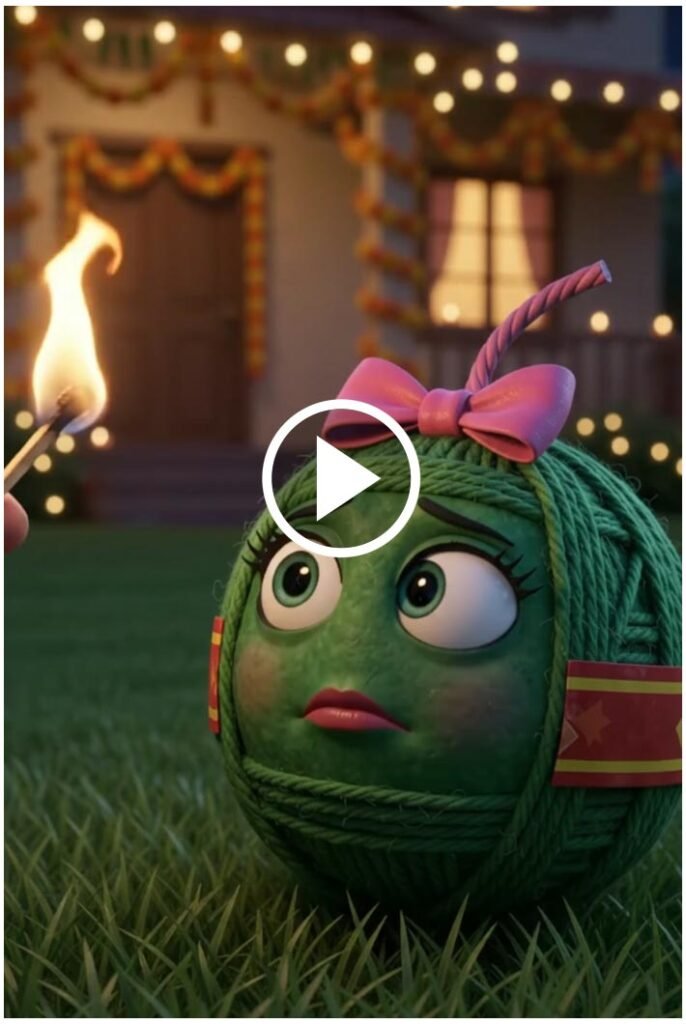
3D animated close-up on grass at night. A round green yarn-wrapped firecracker with a red-and-yellow band, pink bow, and pink fuse looks nervously at a hand holding a burning matchstick on the left. Blurred house with marigold garlands in background. Firecracker speaks with accurate lip-sync in a clear, soft, dramatic female Hindi voice: “Mere itne kareeb mat aao, main tumhe barbaad kar dungi.” Include matchstick crackling sound effects.
3D animated medium shot at night on a lawn before festive Diwali houses and a full moon. A cute grey mouse in sunglasses and an embroidered blue-red ethnic vest holds two burning sparklers next to a small green round firecracker looking up at him. Mouse speaks with accurate lip-sync in a clear, deep, dramatic male Hindi voice: “Main barbaad hona chahta hoon.” Immediately after, the firecracker erupts into a bright fiery explosion with thick smoke. Include sparkler fizzing and loud explosion sound effects.
3D animated medium close-up of the mouse standing stunned as thick grey smoke clears against the festive night background. Mouse is covered in black soot with messy charred fur, a cracked right sunglass lens, and two white teeth falling from his open mouth to the grass. Include smoke whoosh and comical high-pitched crying sound effects.
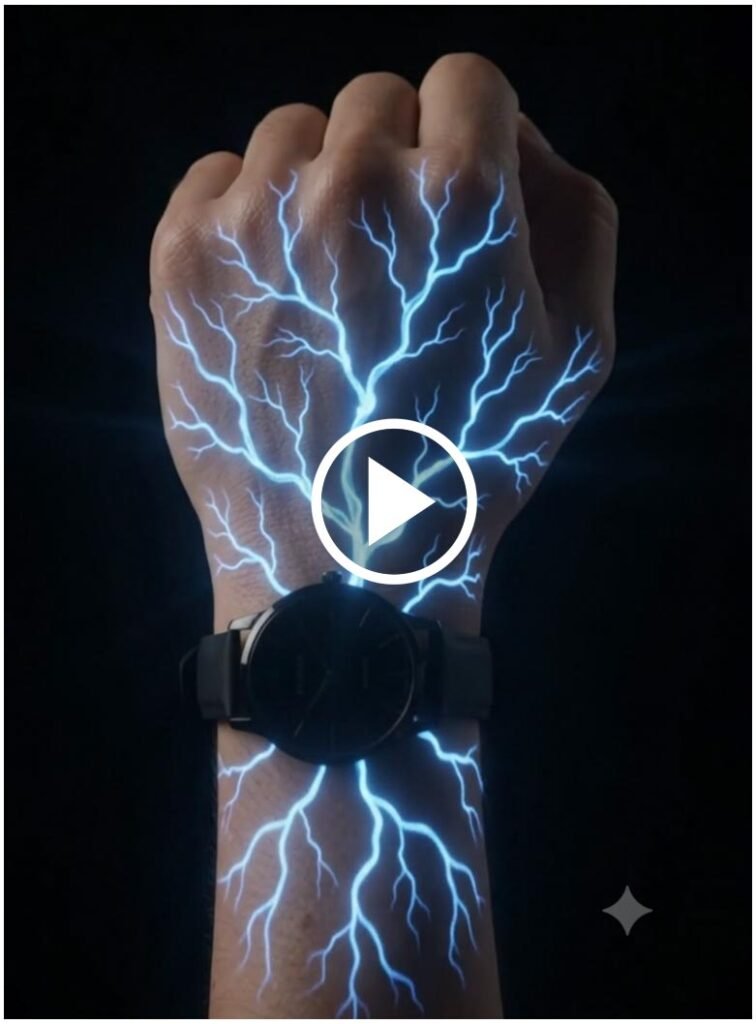
MASTER PROMPT — K NAME LOVE VFX REEL (9:16)
Create a 10-second ultra-realistic cinematic VFX video matching this exact sequence. Keep the same hand, skin tone, black wristwatch and dark background.
0–3 sec: A closed fist appears in darkness. Glowing electric-blue veins slowly spread from the wrist across the hand, branching like lightning. Intensify the glow, then zoom in for a detailed close-up.
3–4 sec: Fast cinematic camera push into the skin, transitioning seamlessly inside a realistic human blood vessel.
4–7 sec: Travel through the reddish organic blood vessel. Red blood cells float toward the camera. Small glowing cyan 3D letter “K” characters begin appearing among them and multiply rapidly.
7–9 sec: Many luminous cyan “K” letters swirl through the bloodstream toward the camera. Create strong depth, realistic motion blur and cinematic perspective.
9–10 sec: Transition back to the original fist. Show glowing blue veins covering the hand and wrist, with multiple small cyan “K” letters appearing on the skin. End on a dramatic close-up.
Style: Ultra-realistic VFX, smooth 60fps animation, cinematic zooms and tracking, detailed skin, volumetric glow, realistic blood cells, depth of field, high contrast, sharp 4K quality.
Audio: Electric energy crackle during vein activation, deep cinematic whoosh during the skin transition, subtle flowing sounds inside the blood vessel, and a final magical sparkle.
Rules: Vertical 9:16, no dialogue, no extra text, no watermark, keep the letter “K” clearly recognizable, preserve visual continuity, smooth transitions and accurate timing.
What Are AI Video Editing Prompts?
AI video editing prompts are text instructions that tell an artificial intelligence tool what kind of video, animation, camera movement, visual effects, or scene you want to create. A well-written prompt can help you achieve more consistent and creative results.
Best AI Video Editing Prompts to Create Viral Videos
Using creative AI video prompts can help you explore popular video styles for YouTube, Instagram, and other social media platforms. You can customize each prompt according to your subject, preferred style, and the AI tool you use.
1. Cinematic AI Video Prompt
Create a cinematic video featuring a dramatic atmosphere, realistic lighting, smooth camera movement, detailed textures, and professional color grading. Use natural motion and a visually engaging composition for a high-quality result.
2. AI Image-to-Video Prompt
Transform the uploaded image into a realistic animated video. Preserve the main subject’s appearance while adding natural movement, subtle camera motion, realistic lighting, and a smooth cinematic transition.
3. Viral Instagram Reels Prompt
Create a short, visually engaging vertical video with dynamic transitions, smooth motion, eye-catching visuals, and a strong opening scene. Use a 9:16 aspect ratio suitable for Instagram Reels and YouTube Shorts.
4. AI Nature Video Prompt
Generate a realistic cinematic nature video featuring beautiful landscapes, moving clouds, flowing water, natural sunlight, and smooth camera movement. Focus on realistic details and immersive scenery.
Best AI Video Generator Tools in 2026
Choosing the right AI video generator depends on your budget, creative goals, and required features. Some tools focus on generating videos from text, while others specialize in image animation, editing assistance, or professional video production.
Google Gemini
Google Gemini can help you develop video concepts, refine prompts, and explore AI-powered creative workflows. Available video-generation features depend on the product, subscription, and current availability.
ChatGPT
ChatGPT can help you write detailed AI video prompts, brainstorm creative concepts, develop scripts, and plan scenes for video projects. Video-generation capabilities depend on the tools available to your account.
Dedicated AI Video Generators
Dedicated AI video platforms can offer features such as text-to-video generation, image-to-video animation, camera movement controls, and creative effects. Compare their current features, pricing, usage limits, and commercial-use terms before choosing a tool.